Receiving against POs and ASNs
Scan the delivery, the items and their batches. Over-supply, short-dated stock and items not on the order become receiving issues for the right person to decide.
TamarSuite / Tamar WMS
Tamar WMS runs receiving, putaway, stock, picking, packing and despatch from handheld scanners. Batch and expiry stay on every unit, the pick path comes from your own floor plan, and carrier labels print at the bench.
Deliveries are checked against the purchase order and the supplier's delivery notice as they're scanned. Problems are raised there and then, not found weeks later.
Scan the delivery, the items and their batches. Over-supply, short-dated stock and items not on the order become receiving issues for the right person to decide.
Orders from EDI suppliers arrive as their delivery notices. Who may enter a delivery by hand is your choice: everyone, supervisors, admins or named people, or open it up for one PO.
Stock is sorted by storage class onto pallets (LPNs), and putaway tasks send it to its slot or a suitable free location. A master pallet can be put away and used up in one go.
Damaged or wrong stock is locked where it is, and claims against the supplier carry a branded claim note through to a credit.
Returns are received against what was sent. Each line is restocked, held or destroyed, and the office raises the credit.
Items, locations, slots, pick faces, purchase orders and deliveries load from CSV, following the same rules as the screens.
Many systems only keep a batch on the pallet label, so it's lost the moment stock moves onto a shelf. Tamar keeps it on every unit, from the receiving dock to the pick face to the customer.
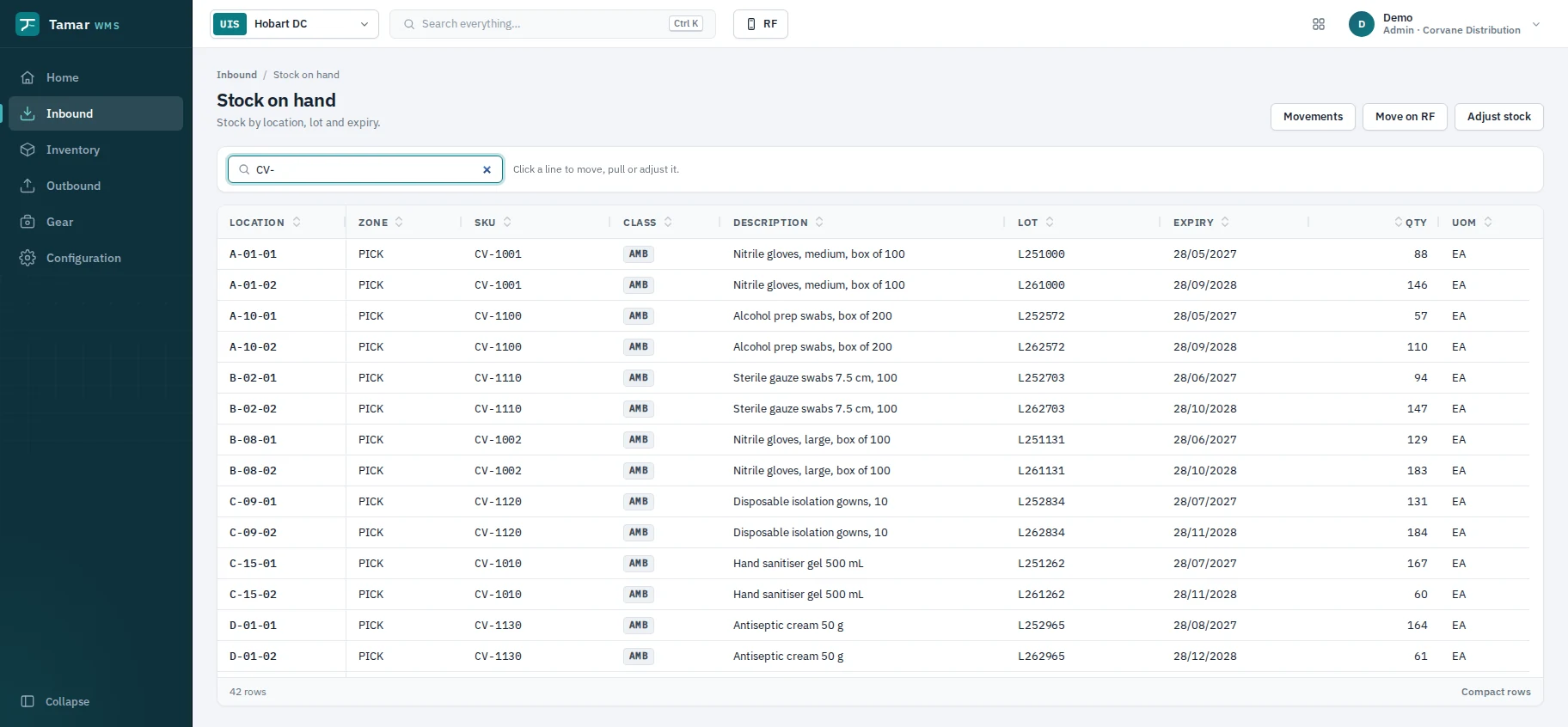
When a supplier recalls a lot, you need to know where it is now and who has it. Tamar answers both.
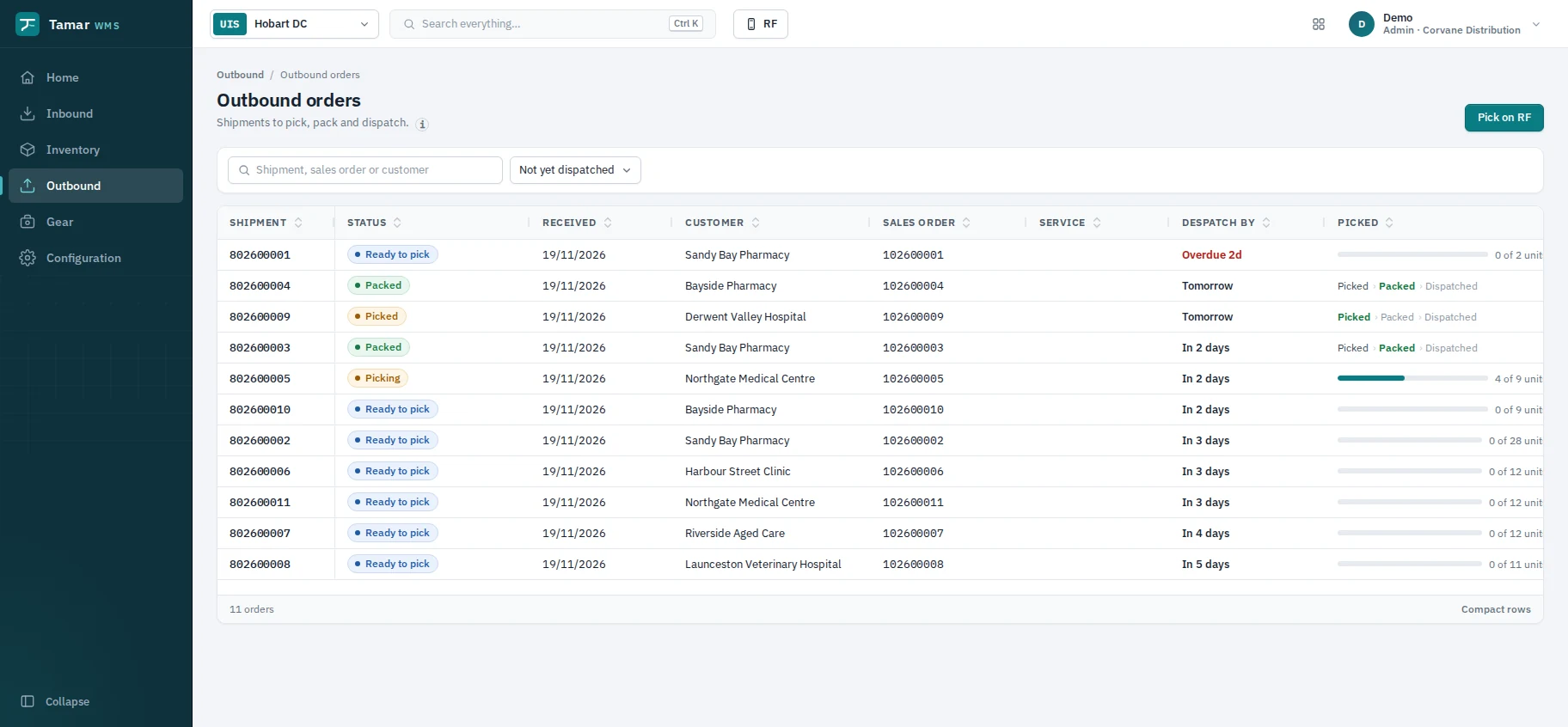
Orders are released in waves or one at a time, picked in walking order, packed and weighed into cartons, labelled with the carrier and despatched by run, with checks where they matter.
Release a wave at its cut-off, or one urgent order ahead of it. Runs own their postcodes, so each arriving order finds its run and staging lane on its own.
Fridge, vault and ambient lines on one order become separate picks and cartons, so cold stock isn't left waiting on a shelf pick.
Carton types with their own weight and size. Each carton is weighed at the bench, a weight that's out needs a supervisor, and cubic weight is worked out.
Runs book with your carrier account when the wave drops or the order is packed. Labels print, and the end-of-day manifest goes with one click.
Scan the order, count what's really there, and confirm. Tamar says "audited in full" or prints a discrepancy report, and lists every order still waiting for one.
Pick slips in walking order to tick and sign, a pick list for a whole wave, and a desk screen to enter what the paper says.
A short pick looks for stock elsewhere in the warehouse. Pick faces with a min and max are topped up from reserve before they run out.
Pallet, carton, putaway and 100 × 150 mm shipping labels, with the business name and run on each, and packing slips that list the batches.
Packed orders go out together on one manifest, with cartons by storage class for each order and pallet, and a box for the driver to sign.
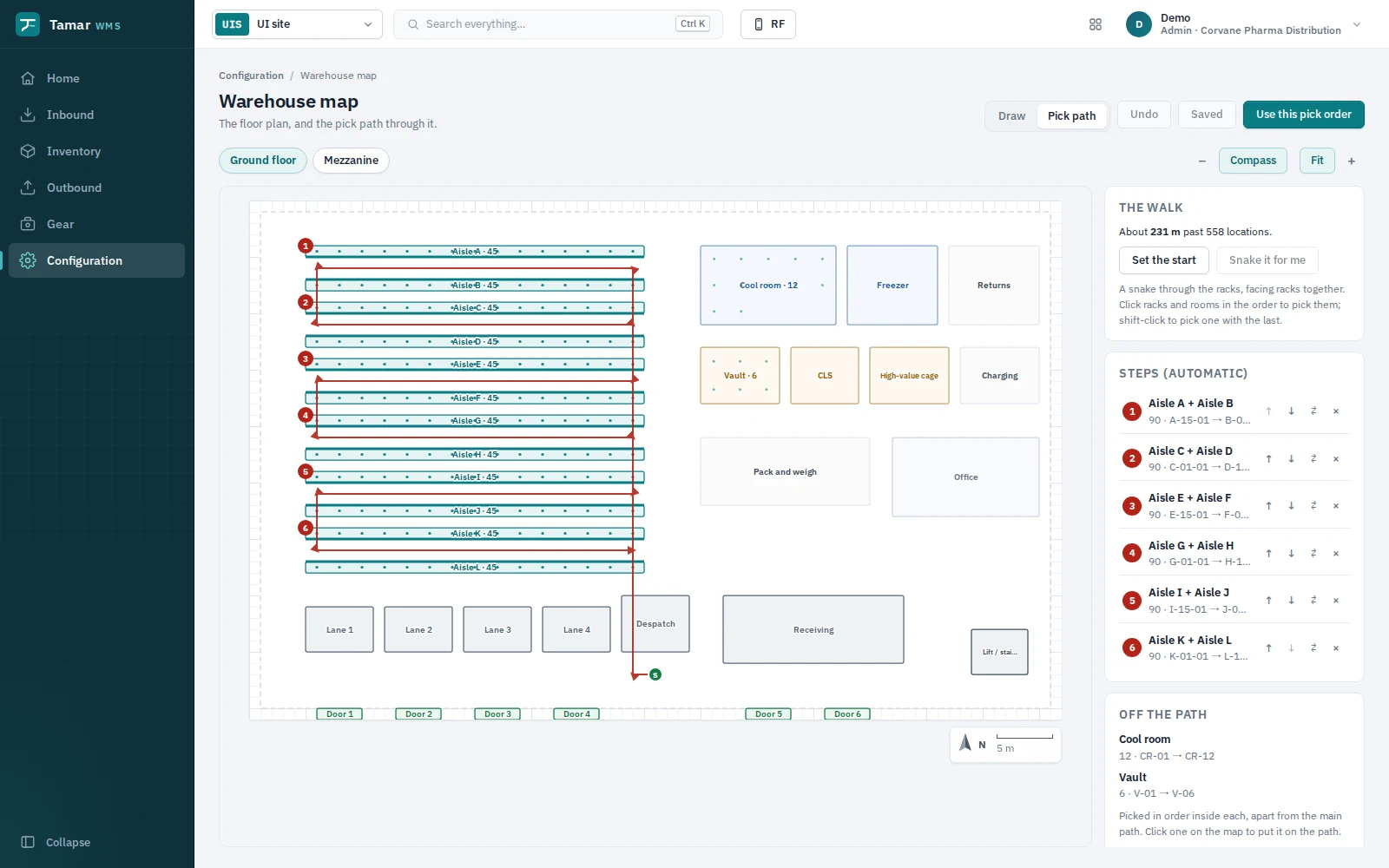
Lay your warehouse out on a grid: floors, aisles, racks, fridges, vaults, cages, doors and staging. Tamar walks the aisles in a snake, picks facing racks together, and numbers every location in walking order. Picks, counts and open orders follow it.
The people doing the work get one clear step at a time, on whatever device they have. The office gets the same tasks beside the screen they're on.
Receive, put away, move, count, replenish, pick, pack, audit and palletise from Android or iOS scanners, phones and tablets.
No scanner to hand? Every scan prompt can use the phone's own camera instead.
Open Receive, Move, Count or Pick in a side panel beside any screen, and carry on where you were when it's done.
Ctrl+K finds screens, settings and records: POs, deliveries, orders, items, locations, LPNs, claims, recalls and audits.
Count by location, zone or item. Recounts and approvals are built in, and adjustments are recorded against a reason.
Operators, supervisors, controllers and admins each see what they need, across as many sites as you run. Operators can be kept to the handheld.
Inbound, outbound and the whole warehouse, today and over time. Each person chooses what's on theirs.
A small print agent on a PC or server at the site sends labels and documents to your printers, and picks up new ones without a restart.
A new warehouse gets a list to finish: site, zones, locations, staging, people and items, each a click away.
Tell us how your site works and we'll show you Tamar WMS doing it.