Buy, hold and sell from one system
Purchase orders by EDI, stock across several warehouses, sales orders filled from what's really free, and invoices raised as each shipment goes.
Early access · now talking to first customers
TamarSuite is warehouse management, ERP and dock booking built together. One set of items, orders and stock, from the supplier's purchase order to the carrier label and the invoice, with nothing keyed in twice.
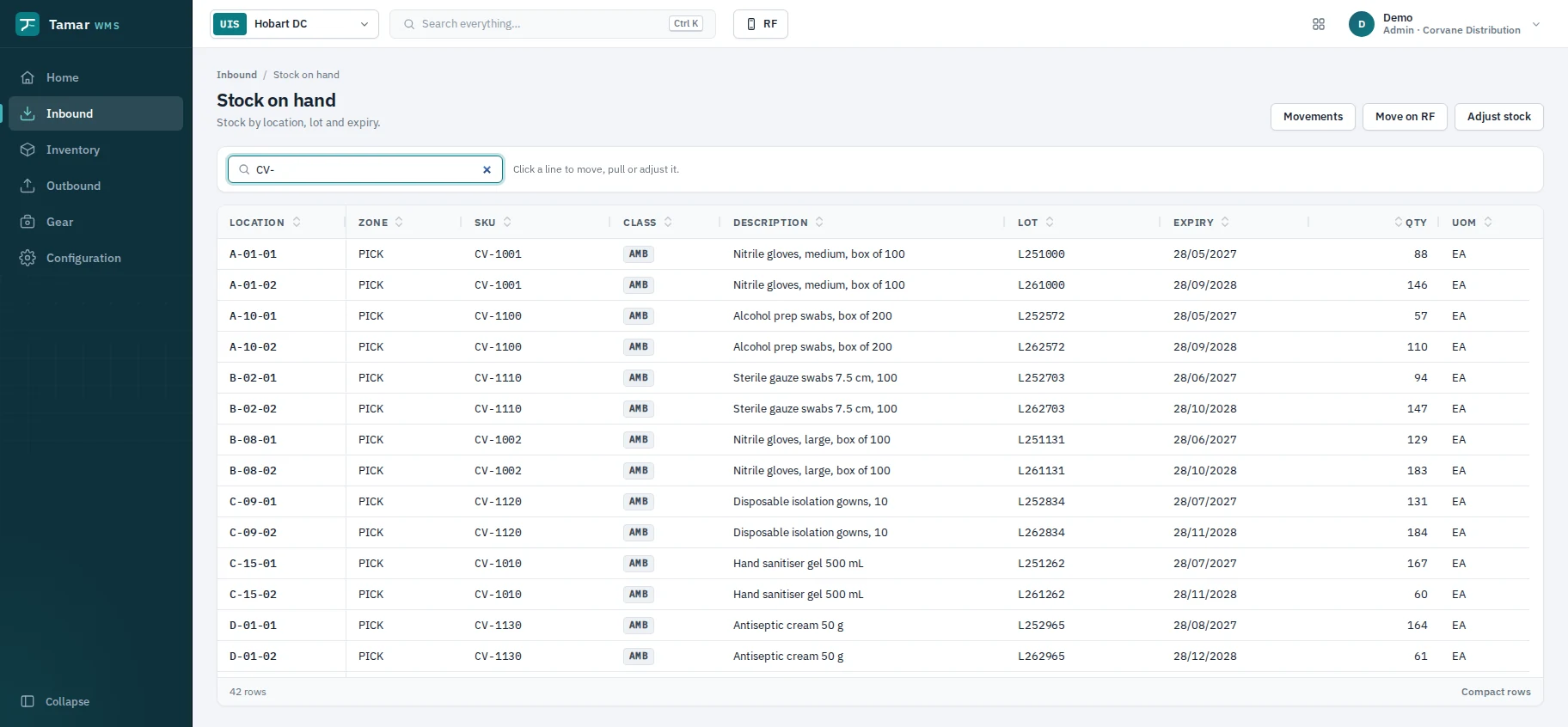
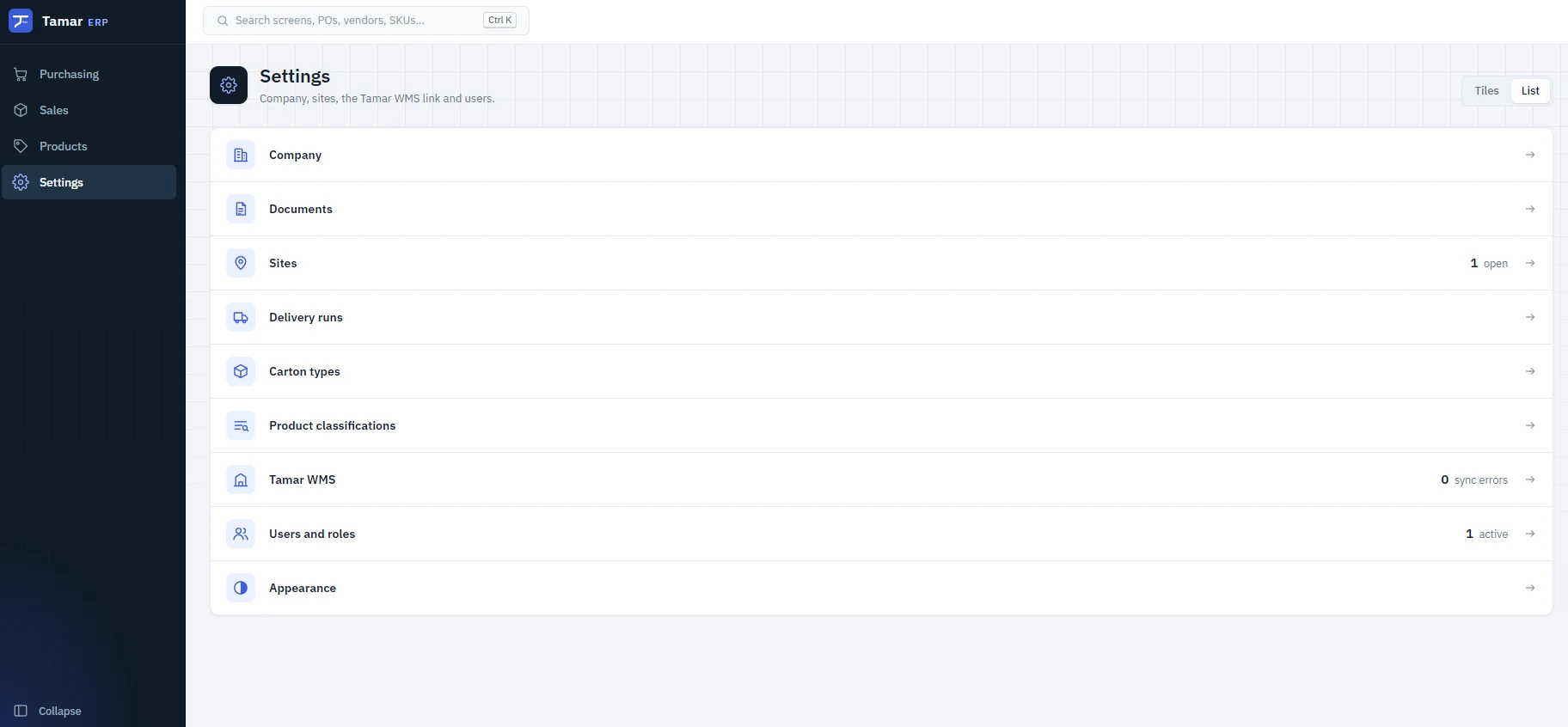
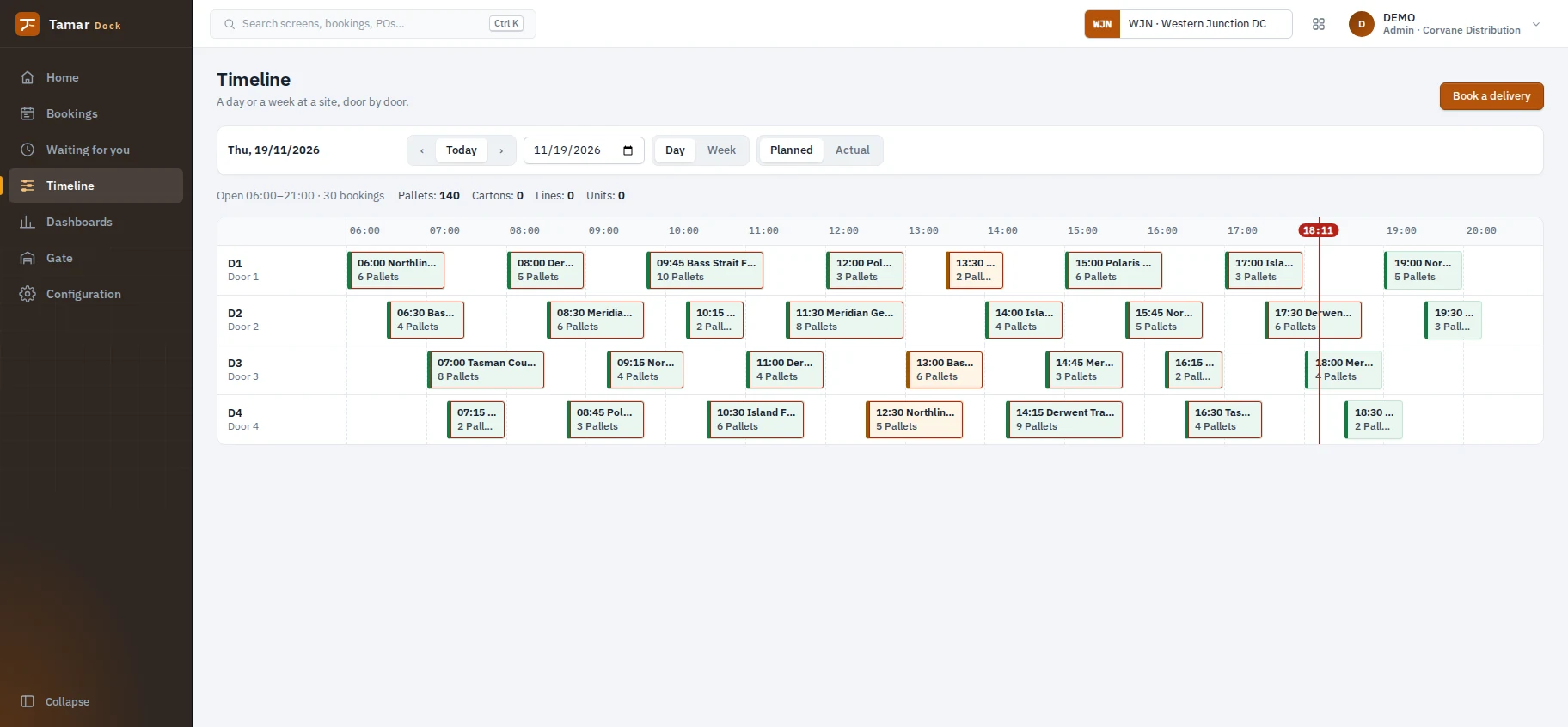
Built by people who use warehouse and ERP systems every day, and know what really happens on the floor.
Receiving the truck that turned up early. Chasing a short pick before the cut-off. Working out why the stock doesn't match. TamarSuite is shaped by real shifts, not by a spec written far from the warehouse.
General goods out of the box. Batch, cold chain and controlled-goods rules switch on for the products that need them.
Purchase orders by EDI, stock across several warehouses, sales orders filled from what's really free, and invoices raised as each shipment goes.
Web orders arrive as warehouse work, stock levels go back to the store every minute, and despatches send tracking to the customer.
Storage classes, licences, order audits, recalls and a controlled-goods register built in, not bolted on. See how →
Each runs on its own. Together they share one sign-in and one set of items, orders and stock. Start with one and add the others when you're ready.
The warehouse floor, run from handheld scanners and a map of your site.
The office: buying, selling and the books, joined to the floor.
The gate: every delivery booked to a door and a time.
No exports between a store, a warehouse system, a shipping tool and the accounts. Each step hands straight to the next.
The things people in warehouses tell us their current system makes hard, done properly.
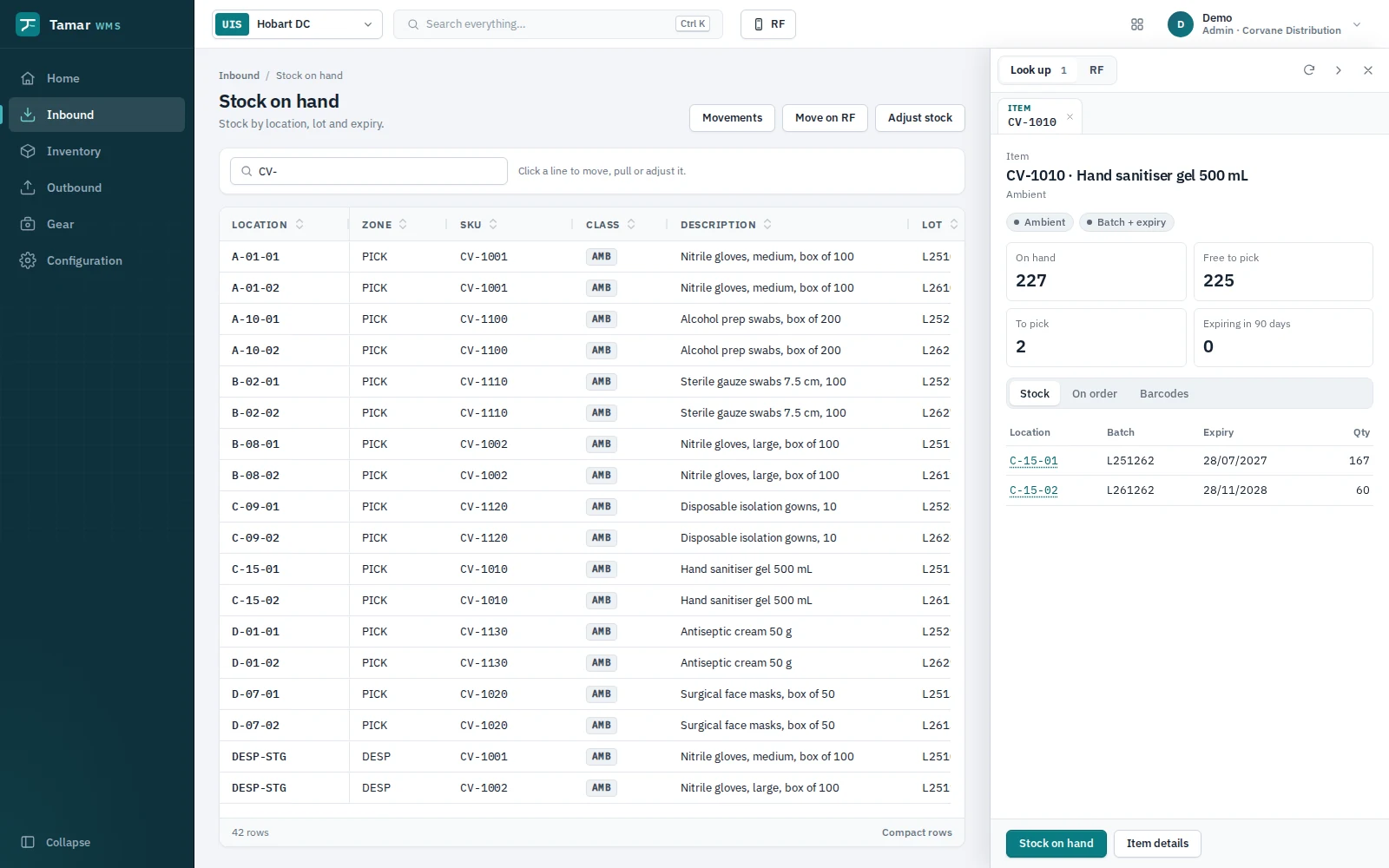
Lot and expiry stay with the stock after it leaves the pallet, so any shelf shows which batches and dates it holds. Picks go first-expiry-first-out, and nothing leaves too short-dated for the customer.
Press Ctrl+K to find any screen, setting, order, PO, item or location. Scan or hover a code and a side panel shows it, beside your work.
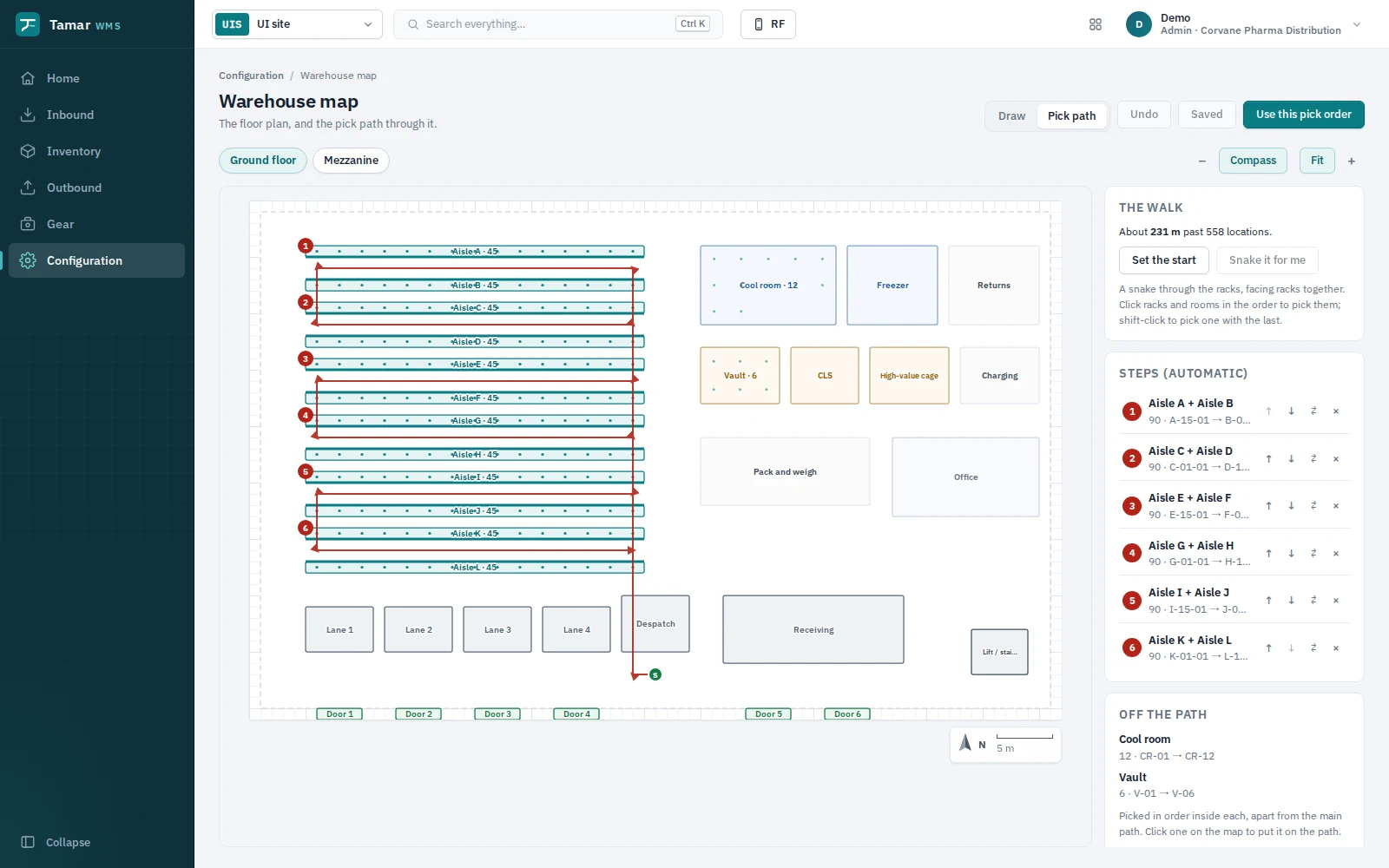
Lay out aisles, racks, fridges, cages and doors on a grid. Tamar works out the walking order, and picks and counts follow it.
Weigh each carton, catch a wrong weight before it ships, and print the carrier's label there and then. Cubic weight is worked out for you.
Scan the order, count what's really there, and Tamar reports any discrepancy. Classes that need checking, like cold chain or controlled drugs, can't be despatched until they pass.
Trace a lot from the receipt to every customer it reached, and hold it everywhere at once: no picking, replenishing, selling online or despatch.
Supplier invoices, by EDI or keyed in, are matched against what was ordered and what the warehouse really received. Anything that doesn't line up is held.
Receive, move, count or pick in a panel beside the screen you're on. Operators can be kept to handhelds, which scan with the phone's own camera.
Shopify orders arrive as sales orders with their shipping, stock goes back to the store, and refunds and despatches flow both ways.
Draw the warehouse on a snap-to-grid map, or let Tamar lay it out from your existing locations. It walks racks that face each other together, snakes through the aisles, and keeps the fridge and vault for their own picks.
Receiving a delivery and need to know where an item lives, what's on order, or which batches are on the shelf? Scan it or hover it. The panel opens beside your work, and the screen underneath stays put.
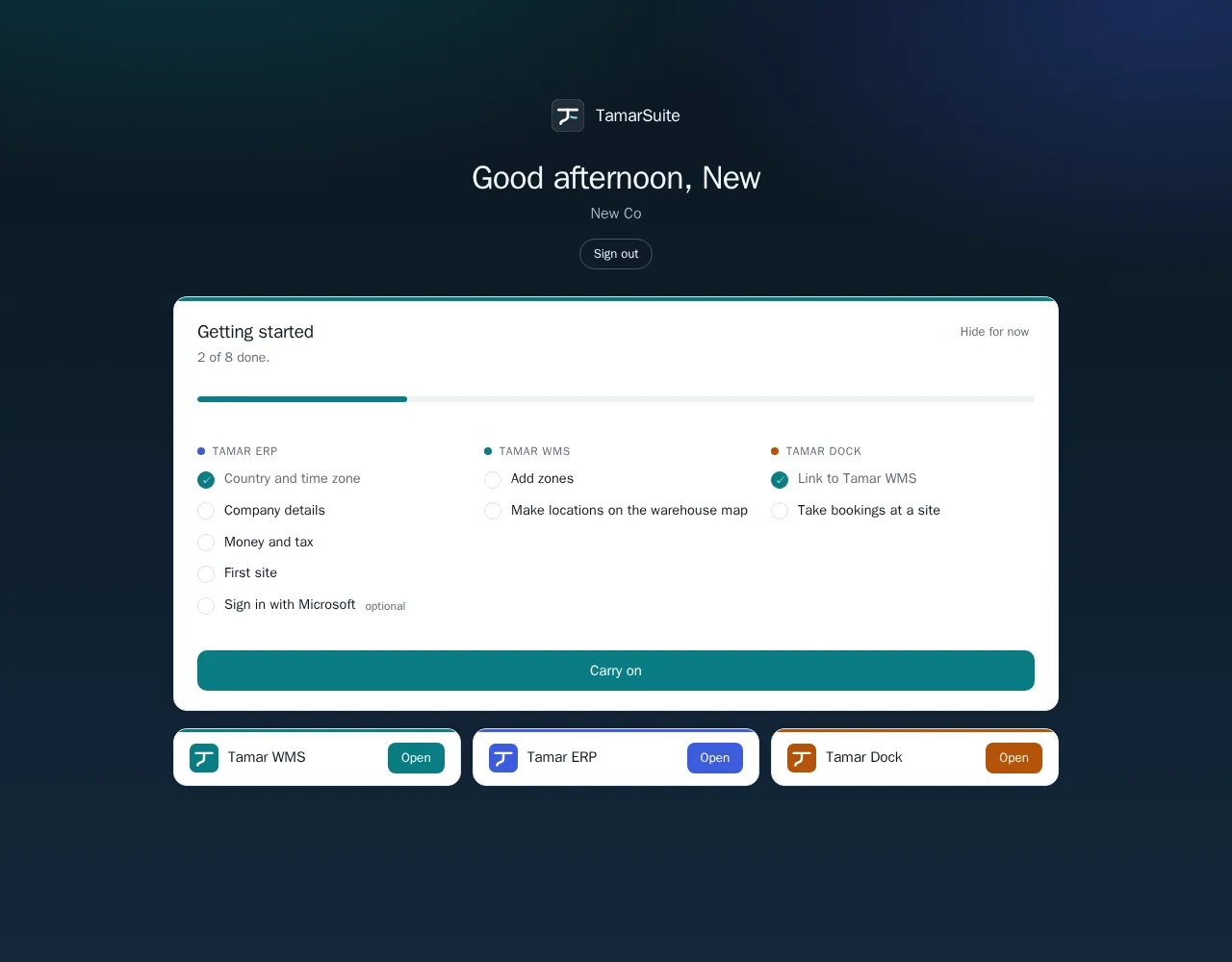
A new company signs in to a checklist that walks through each app: country and tax, company details, your first site, zones and locations, and taking dock bookings.
Keep the systems you have. Tamar talks to your store, your suppliers, your carriers and your printers.
Only your company sees your data, and only the right people get in.
How we keep it safeTamarSuite runs in the browser and is hosted for you. There's nothing to install on servers.
Something else you want to know? Ask us.
Businesses that hold stock and ship it: wholesalers and distributors, and online brands with their own warehouse. It handles general goods, and adds batch, expiry, cold chain and controlled-goods handling for those who need them, such as pharmaceutical wholesale.
No. Each app works on its own. Tamar WMS can sit under the ERP you already use through its open API, and you can add Tamar ERP or Tamar Dock later. Together, they share one sign-in and one set of items, orders and stock with nothing re-keyed.
It's hosted for you and runs in the browser. Labels and documents reach the printers on your own network through a small print agent you install on one PC or server at the site.
Any handheld or phone with a web browser runs the scanning screens, and phones can scan with their own camera. Labels print to Zebra (ZPL) printers, and documents print as PDFs.
Tamar books with your carrier account: bookings, labels on PDF or a Zebra printer, and the end-of-day manifest. For carriers it doesn't book with directly, Tamar exports a file of the consignments. Ask us about yours.
Yes. Batch and expiry are kept on the stock itself, through receiving, putaway, pick faces and despatch, so you can see which batches every location holds. Picks are first-expiry-first-out, with a minimum life on receipt and on delivery per item or customer.
Yes. Shopify orders come in as sales orders with their shipping, products can be brought in as items with their pictures, free stock goes back to the store every minute, and despatches send tracking numbers to the customer.
Yes. An admin connects your Microsoft organisation from Settings, chooses who gets in, and each person signs in with the account they already use for work.
TamarSuite is in early access and being tested on real warehouse workflows, with new features shipping every week. We're talking to our first customers now. Get in touch and we'll walk you through it.
A walkthrough of TamarSuite using the way your site already works: your stock, your orders, your carriers.